Quickly Booked App Support
When you access the Settings page of Quickly Booked App (located at the bottom left corner of the Admin section), you can configure your Office Hours. By default, they are set from 09:00 – 17:00, Monday – Friday. However, you have the flexibility to customize them according to your business needs.
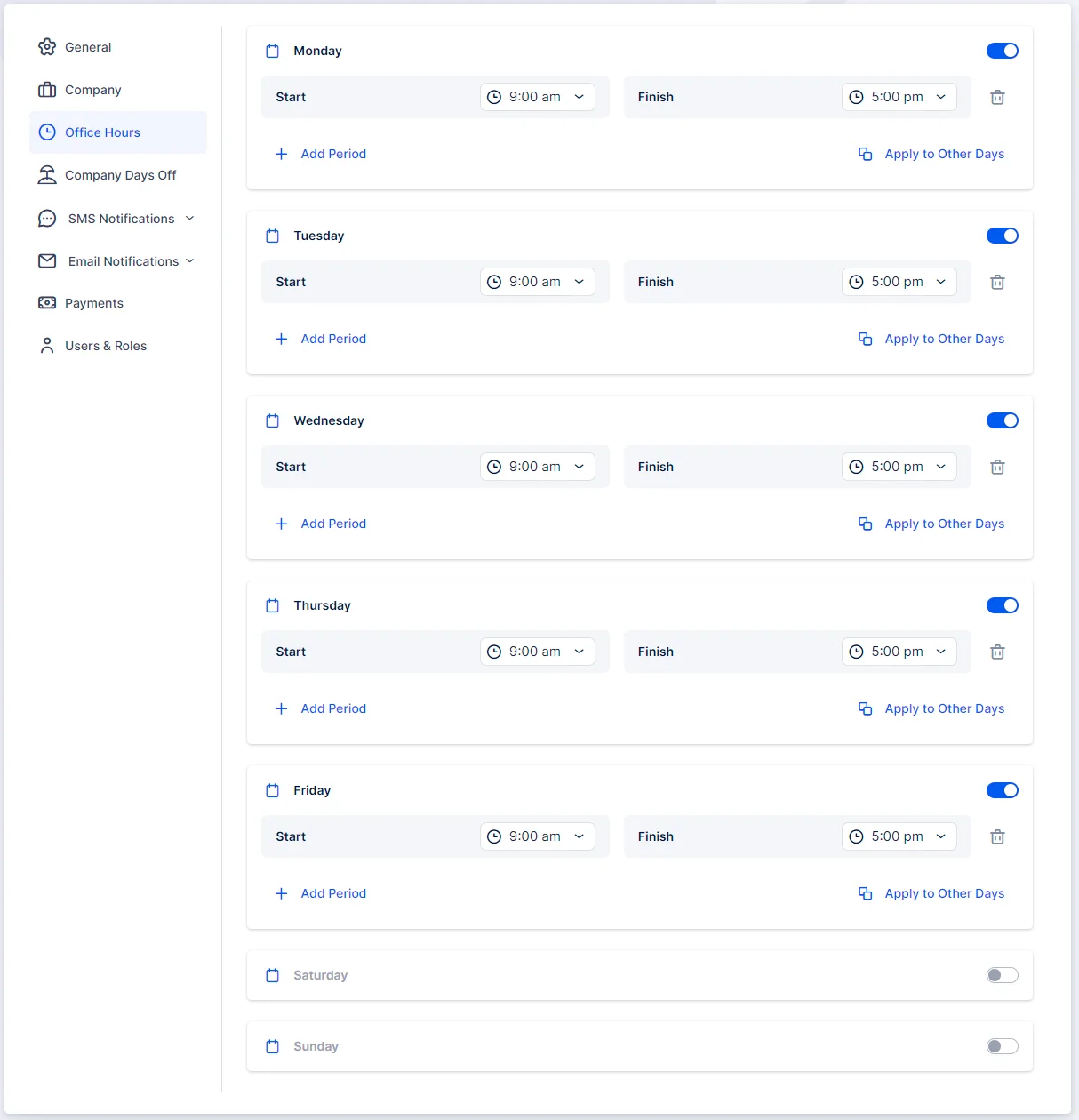
You have the flexibility to configure the hours to fit your company’s schedule. This includes the ability to:
- Split Hours: Divide the hours into several periods to accommodate breaks or shifts.
- Apply to All Days: Set the same office hours for all days of the week.
- Apply to Custom Days: Customize hours for specific days based on your business needs.
- Remove Specific Days: Exclude certain days from the office hours configuration.
For instance, if your business operates from 08:00 – 12:00, and then takes a break until 14:00, you can create two periods. This ensures that the time in between those periods cannot be booked. See the screenshot below for an example:
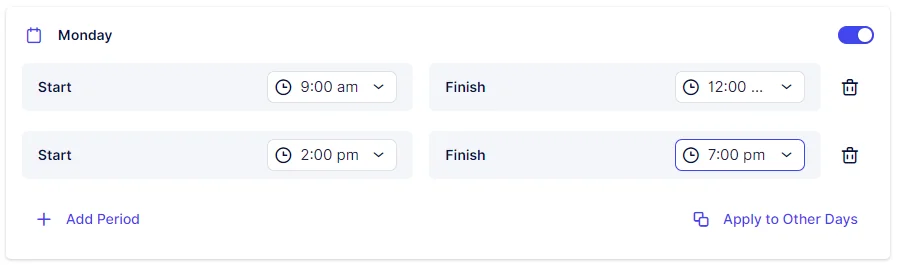
If you intend to include several periods within a day, it’s important to add them in sequential order. For instance, add 08:00 – 10:00 first, followed by 12:00 – 17:00. The order matters because the initial period you add will block time slots preceding it. If you add 12:00 – 17:00 before 08:00 – 10:00, you won’t be able to select the earlier period afterward.
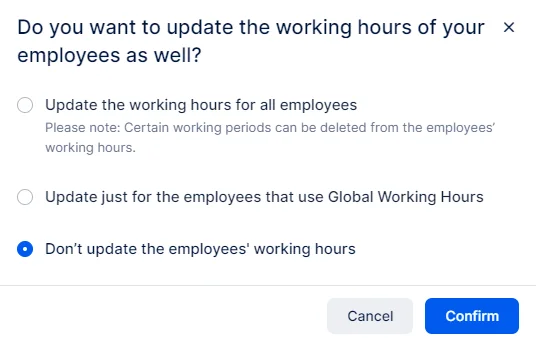
Office Hours settings will be automatically applied to every new employee you create. However, if you have existing employees with modified Working Hours, changing the office hours will present you with three options:
- Update Working Hours for All Employees: Choose this option to update the working hours for all employees, including those who have customized their working hours.
- Update Working Hours for Employees Using Global Working Hours (Office Hours): Select this option to update the working hours only for employees who are using the Global Working Hours (Office Hours) setting. Employees with individual working hour configurations will not be affected.
- Do Not Update Working Hours: Opt for this option if you prefer not to update the working hours of your employees. This maintains their current individual working hour settings but leaves the changes you’ve made to the Office Hours redundant.